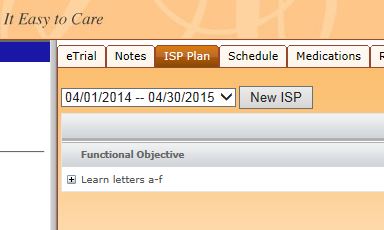
ISP Plan
Creating an ISP
You will need the ISP dates for each client you wish to create an ISP Plan.
> Select the client for whom you wish to create a plan
> Select the ISP Plan
> Select the New ISP Button and add the from and to dates for this plan.
Creating a Function Objective (Goal)
As soon as you have created an ISP date you would see a "Add New" link at the top right of the ISP Plan window area.
> Select the Add New link. This will pop up the goal entry window.
> Give the goal a Name and add any objective information and notes you wish to convey or that have been prescribed by a payer or therapist.
> Select the service code at bottom of this dialog that will be used in order to perform the service. If there are possibly more than one service that will be used create a similar Goal and set those teaching strategies to match.
Creating Teaching Strategies
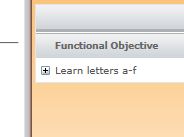
For each Functional Objective you must create teaching strategies. These can be called Targets but are the events in which you wish to record trial or quantitative progress. After you have created your Functional Objectives you should see a grid with each Goal listed with small "+" sign to the left.
> Select the plus sign to expand the teaching strategies editor.
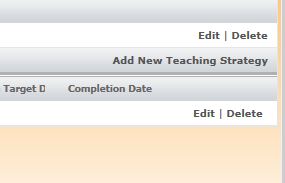
> Select the "Add New Teaching Strategy" link at the very far right of the exposed Functional Objective.
Teaching Strategies can be pulled from a library or free-style created.
> Type in the name of the Strategy (Ex: Touch mouth)
> In the Strategy text box you can be more specific about the way in which you want to accomplish this task. You can include any SD's that you might want to have the habilitator use. (Ex: Point to your mouth)
> Enter the number of minutes each trial should be performed
> Enter the number of trials per session
> Enter the number of sessions per week
> Enter the number of days per week
>Enter the starting time.
All other fields (Targets and completion mastery) are reserved for future release.
> Save the teaching strategy by selecting the Save button.
If the teaching strategy (defined by it's name) is not in the library you will be prompted if you wish to save it.
> Select yes button
> Select the category for which you wish to save it and add any words that you would like to append to the strategy that could help you find it in the future.
If successful you will see your Teaching Strategy present after expanding the Functional objective. Continue this process until all teaching strategies have been entered.